YT Dark vs CapCut: Which Editor Is Best for Dark/Faceless Channels in 2026?
Full comparison between YT Dark's cloud editor and CapCut for dark and faceless YouTube channel creators.
If you create dark or faceless content on YouTube, you've probably used CapCut to edit your videos. It's a popular, free, and feature-rich tool. But was it really made for your type of content? Is there something better for those who produce narrated videos about crime, mysteries, horror, and conspiracies?
The short answer: it depends on what you need. In this comparison, we'll put YT Dark's cloud editor side by side with CapCut and show exactly where each one shines — and where it falls short — for dark and faceless channel creators.
Spoiler: if you want to go from script to finished video without leaving a single platform, YT Dark has advantages that CapCut simply doesn't offer.
The Problem with Using CapCut for Dark Channels
Don't get me wrong — CapCut is a great video editor. For TikToks, Reels, and short-form content, it's excellent. But for 10-20 minute dark videos, the story changes completely.
Here's the typical workflow for a dark creator using CapCut:
- 1. Write the script in ChatGPT or Google Docs
- 2. Generate narration in ElevenLabs or another TTS tool
- 3. Generate images in Midjourney, DALL-E, or Sora
- 4. Download everything to your computer
- 5. Import into CapCut
- 6. Manually sync audio + images on the timeline
- 7. Add subtitles (generate SRT or use auto-captions)
- 8. Add transitions, effects, and music
- 9. Export and hope it doesn't crash
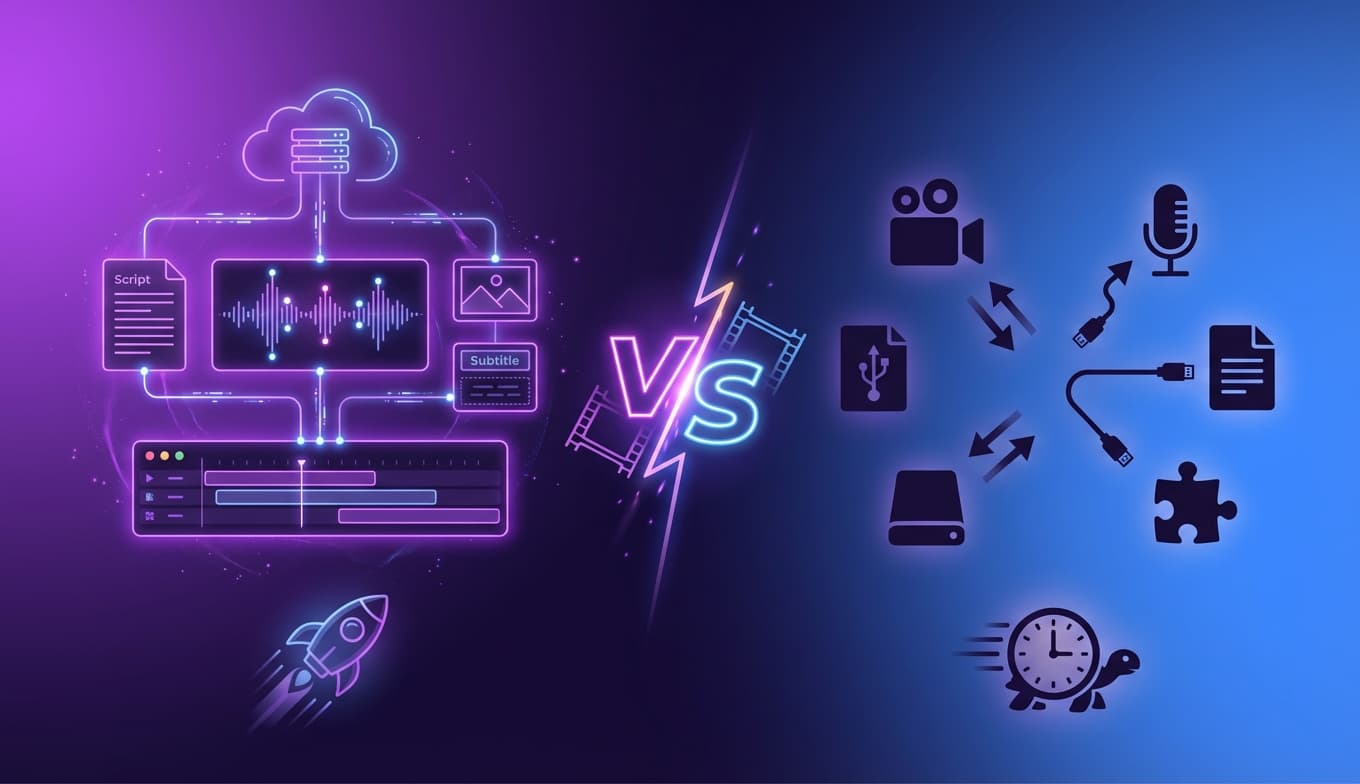
That's at least 5 different tools and hours of manual work. And if the video exceeds 15 minutes, CapCut can become unstable — a common issue reported by creators.
⚠️ CapCut's Limitations for Dark Content
- • Unstable with long videos: Practical limit of ~15 minutes per export
- • No pipeline integration: Each step (script, audio, images) requires a separate tool
- • Optimized for short content: Templates and presets focused on TikTok/Reels
- • Watermark on free version: Advanced AI features require the Pro plan
- • No built-in narration: You need to generate audio externally
- • Requires download: Full features only available in the desktop app
YT Dark's Cloud Editor: Built for Dark Channels
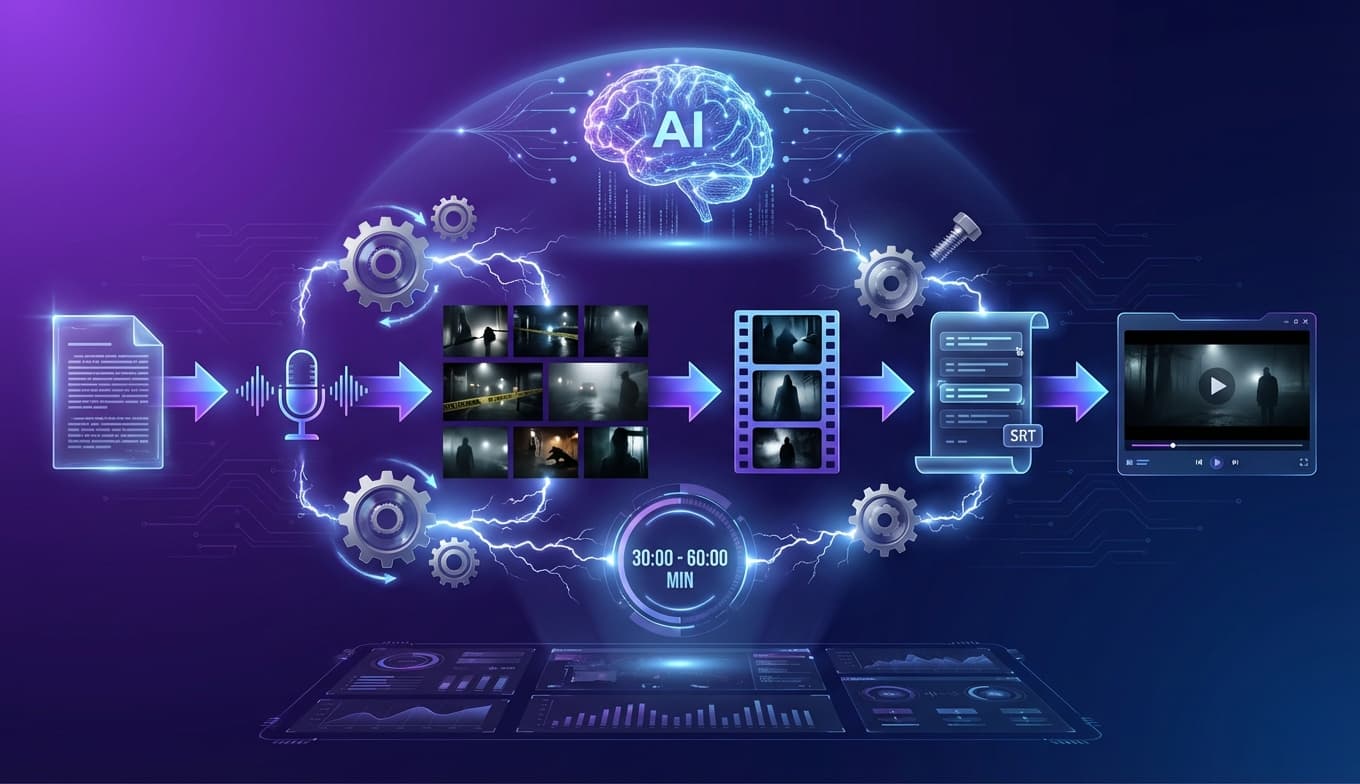
YT Dark isn't "just another generic video editor." It's a platform built specifically for dark and faceless content creators. The cloud editor integrates the entire production pipeline in one place — from script to exported MP4.
The fundamental difference: while CapCut is the last step in a fragmented workflow, YT Dark is the entire workflow.
Integrated Pipeline: From Script to Video
With YT Dark, you don't need to switch between tools. The complete workflow works like this:
📝 1. AI Script
Two-phase generation: strategy + complete content. Structure optimized for dark channels with hooks, narrative blocks, and CTAs.
🎙️ 2. AI Narration
Integrated Gemini TTS with multiple voices. Generate the complete narration without leaving the platform.
🖼️ 3. AI Images
Automatic scene generation via Sora, Google ImageFX, or Flux Schnell. Intelligent visual moment detection.
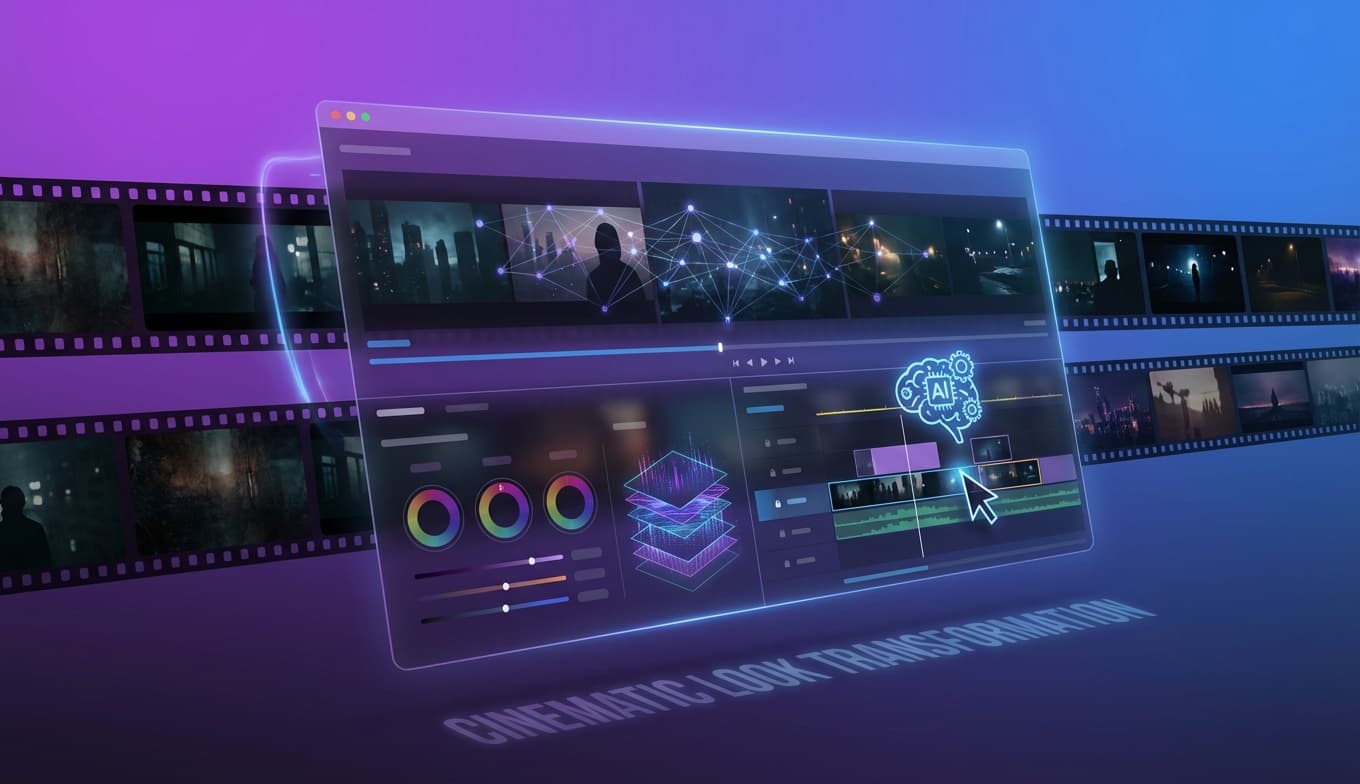
🎬 4. Editing + Export
Cloud editor with real-time preview, subtitles, effects, music, and MP4 export via AWS Lambda.
💡 Quick Win #1: Production Time
With YT Dark, a 10-minute dark video can be produced in less than 30 minutes — from script to MP4. Using the CapCut + external tools workflow, the same video takes 2-4 hours.
Detailed Comparison: YT Dark vs CapCut
Let's compare feature by feature, focusing on what truly matters for dark and faceless channel creators.
1. Subtitles and Captions
CapCut
- • Audio-based auto-captions (variable quality)
- • Limited subtitle styles
- • Basic font and color customization
- • No styles optimized for dark niches
- • Manual timing editing required
YT Dark
- • 44 curated subtitle styles by category
- • Tags: Horror, Documentary, Viral, Curiosities, Gaming
- • SRT automatically generated and synced with narration
- • Progressive word-by-word display
- • Full control: font, color, highlight, size, position, spacing
💡 Quick Win #2: Dark-Ready Subtitles
YT Dark has styles like "Horror Blood", "Mystery Noir", and "Neon Glow" ready to use. In CapCut, you'd need to create each style from scratch and save it as a preset.
2. Animations and Transitions
CapCut
- • Large transition library (generic)
- • Manual keyframe animations
- • Ken Burns requires manual setup
- • Must apply transitions one by one
YT Dark
- • 13+ optimized animations (Ken Burns, Zoom, Pan)
- • 6 transitions (Crossfade, Slide, Wipe, Fade to Black)
- • Per-scene or global application (one click)
- • Configurable duration per transition
- • Real-time preview in the editor
3. Audio and Sound Effects
CapCut
- • Music library (generic)
- • Basic sound effects
- • Per-track volume control
- • Narration needs to be imported externally
- • No categorization for dark niches
YT Dark
- • 25 themed sound effect categories
- • Suspense, Impact, Plot Twist, Mystery, Heartbeat
- • Narration/music crossfader for perfect balance
- • Configurable fade-out (0-10s)
- • Upload your own music (up to 50MB)
- • Narration generated directly on the platform
💡 Quick Win #3: Themed Sound Effects
Effects like "Suspense", "Heartbeat", and "Plot Twist" are essential for dark videos. In YT Dark, they're one click away on the timeline. In CapCut, you need to download SFX packs and import them manually.
4. Visual Elements (CTAs and Overlays)
Dark videos need strategic calls-to-action to convert views into subscribers. Here's how each editor handles this:
CapCut
- • Generic "Subscribe" stickers
- • Manual overlay creation
- • No integration with channel data
- • Manual positioning and timing
YT Dark
- • 14 ready-made overlay elements
- • 6 Subscribe buttons (Classic, Neon, Gradient...)
- • 4 Like buttons, 2 Bells, 2 Comments
- • Automatically uses your channel name and logo
- • 7 preset positions + custom X/Y positioning
- • Timing control (start/end) and scale
- • Automatic entrance/exit animations
💡 Quick Win #4: Smart CTAs
YT Dark's overlays automatically pull your channel name and logo. Just drag to the timeline, choose a position, and you're done. No creating buttons in Canva and importing them.
5. Filters and Visual Effects
CapCut
- • Wide variety of filters (100+)
- • Advanced color adjustments
- • Custom LUTs
- • Professional color grading
- • CapCut Advantage
YT Dark
- • 7 themed filters (Warm, Cool, Vintage, B&W, Sepia, High Contrast, Vivid)
- • Brightness, contrast, and saturation adjustments
- • Modular system with opacity control
- • Simple global application
Let's be fair here: CapCut has a larger filter library. However, for dark/faceless videos using AI-generated images, YT Dark's 7 filters cover 95% of use cases — and most creators only use 1-2 filters per video.
6. Timeline and Editing Controls
CapCut
- • Full multi-track timeline
- • Advanced cut, trim, split
- • Keyframes for manual animations
- • Chroma key / green screen
- • Frame-by-frame editing
YT Dark
- • Visual timeline with zoom (1x-8x)
- • Tracks: scenes, subtitles, audio, SFX, overlays
- • Drag-to-reorder scenes (automatically recalculates timing)
- • Full Undo/Redo (Ctrl+Z)
- • Auto-save on every change
- • Real-time preview with perfect sync
CapCut offers more granular editing control — keyframes, chroma key, multi-layer. But for dark/faceless videos (which are narration + images + subtitles), YT Dark's simplified timeline is more efficient. Less complexity = less wasted time.
💡 Quick Win #5: Smart Auto-Save
In YT Dark, every change is automatically saved to the cloud. Accidentally closed your browser? Your adjustments are saved. In CapCut, if the app crashes, you might lose your project progress.
YT Dark's 7 Quick Wins Over CapCut
Summarizing the most impactful advantages for dark creators:
🚀 1. Single Pipeline
Script → Narration → Images → Editing → MP4. All in one platform. Zero manual imports.
⚡ 2. Production Speed
30 minutes vs 2-4 hours. AI automation eliminates the most time-consuming manual steps.
🎨 3. Themed Subtitles
44 curated styles by niche — Horror, Documentary, Viral. Just choose and apply.
🔊 4. Dark-Ready SFX
25 themed sound effect categories ready to drag onto the timeline.
🔔 5. Smart CTAs
14 overlays with channel name and logo automatically integrated.
☁️ 6. 100% Cloud
No downloads, no installation. Edit from any computer with automatic auto-save.
📈 7. Scalability
Manage multiple channels with editorial calendar, drag-and-drop, and status tracking.
When CapCut Is Still the Better Choice
We want to be honest. CapCut still makes sense in some scenarios:
- • Short-form content (Shorts/Reels): For 30-60 second videos, CapCut's templates are unbeatable
- • Advanced manual editing: If you need keyframes, chroma key, or multi-layer compositing
- • Videos with real footage: If you shoot with a camera (not faceless), CapCut is more suitable
- • Professional color grading: Custom LUTs and advanced color adjustments
- • Absolute zero budget: CapCut Free covers basic editing at no cost
But if your content is narrated, image-based, and focused on dark niches — which is exactly the profile of faceless channels — YT Dark delivers more value per minute of work.
Summary Table: YT Dark vs CapCut
How to Migrate from CapCut to YT Dark
If you already use CapCut and want to try YT Dark, the transition is simple:
- Step 1: Create your account on YT Dark and register your channel
- Step 2: Choose a topic for your next video and generate the script with AI
- Step 3: Generate the narration directly on the platform
- Step 4: Let the AI detect scenes and generate images automatically
- Step 5: Open the cloud editor, choose your subtitle style, and adjust effects
- Step 6: Export as MP4 and publish on YouTube
Your first video on YT Dark will take a fraction of the time you used to spend on the CapCut + external tools workflow.
Ready to Produce Dark Videos 10x Faster?
Try YT Dark's cloud editor and discover what it's like to go from script to finished video in minutes, not hours.
Get Started Now →Real Case: Productivity in Practice
Imagine you need to produce 4 dark videos per week to keep your channel competitive. Here's the difference:
❌ CapCut + Tools Workflow
- • 4 videos × 3 hours = 12 hours/week
- • 5+ different tools
- • Manual imports and exports
- • Risk of losing progress from crashes
- • Cost: CapCut Pro + ElevenLabs + Midjourney = $40+/month
✅ YT Dark Workflow
- • 4 videos × 30-45 min = 2-3 hours/week
- • 1 single platform
- • Everything integrated and synced
- • Permanent cloud auto-save
- • Cost: YT Dark plan with everything included
That's 9-10 hours saved per week. Time you can use to research content, analyze metrics, or simply have a life outside YouTube.
Final Verdict
CapCut is an excellent generalist video editor. For short-form content, advanced manual editing, and creators who shoot with a camera, it remains one of the best free options on the market.
But for dark and faceless channel creators, who produce narrated videos based on AI-generated images, YT Dark is the right tool for the right job. It's not about having more features — it's about having the right features, integrated and optimized for your type of content.
TL;DR — Choose Like This:
- • Faceless/dark channel with narration + AI images → YT Dark
- • Short-form content (Shorts/Reels/TikTok) → CapCut
- • Advanced manual editing with footage → CapCut
- • Scaled production (4+ videos/week) → YT Dark
Frequently Asked Questions
Does YT Dark completely replace CapCut for dark channels?
For dark and faceless channels, yes. YT Dark covers the entire pipeline — from script to final video — without needing another editor. CapCut is still useful for advanced manual editing and short-form content, but for scaled production of narrated videos, YT Dark is more efficient.
Do I need to install anything to use YT Dark's editor?
No. YT Dark's editor works 100% in the browser (cloud). Just access the platform and start editing. CapCut requires downloading the desktop app for full functionality.
Is CapCut free for faceless channels?
CapCut has a free version with basic features, but capabilities like 4K export, watermark removal, and advanced AI tools require the Pro plan. Additionally, videos over 15 minutes can become unstable.
Does YT Dark generate subtitles automatically?
Yes. YT Dark automatically generates synchronized SRT from AI narration, offering 44 ready-made subtitle styles and full customization of font, color, size, and position — all integrated into the editor.
Which is faster for producing a complete dark video?
YT Dark is significantly faster. Since it integrates script, narration, images, subtitles, and editing in a single workflow, you can go from zero to finished video without switching between tools. With CapCut, each step requires manual import.
Can I use CapCut together with YT Dark?
Yes. Some creators use YT Dark to generate the complete base video and then make final adjustments in CapCut. However, most YT Dark users don't need that extra step.
Does YT Dark's editor support sound effects and background music?
Yes. The editor includes 25 categories of sound effects (suspense, impact, plot twist, etc.), a music library, independent volume control for narration and music, and configurable fade-out.
Frequently Asked Questions
Does YT Dark completely replace CapCut for dark channels?
For dark and faceless channels, yes. YT Dark covers the entire pipeline — from script to final video — without needing another editor. CapCut is still useful for advanced manual editing and short-form content, but for scaled production of narrated videos, YT Dark is more efficient.
Do I need to install anything to use YT Dark's editor?
No. YT Dark's editor works 100% in the browser (cloud). Just access the platform and start editing. CapCut requires downloading the desktop app for full functionality.
Is CapCut free for faceless channels?
CapCut has a free version with basic features, but capabilities like 4K export, watermark removal, and advanced AI tools require the Pro plan. Additionally, videos over 15 minutes can become unstable.
Does YT Dark generate subtitles automatically?
Yes. YT Dark automatically generates synchronized SRT from AI narration, offering 44 ready-made subtitle styles and full customization of font, color, size, and position — all integrated into the editor.
Which is faster for producing a complete dark video?
YT Dark is significantly faster. Since it integrates script, narration, images, subtitles, and editing in a single workflow, you can go from zero to finished video without switching between tools. With CapCut, each step requires manual import.
Can I use CapCut together with YT Dark?
Yes. Some creators use YT Dark to generate the complete base video and then make final adjustments in CapCut. However, most YT Dark users don't need that extra step.
Does YT Dark's editor support sound effects and background music?
Yes. The editor includes 25 categories of sound effects (suspense, impact, plot twist, etc.), a music library, independent volume control for narration and music, and configurable fade-out.
Ready to Create Videos with AI?
Use YT Dark to create professional videos 10x faster. Scripts, images and narration automated.
Start Now →